FEATURES
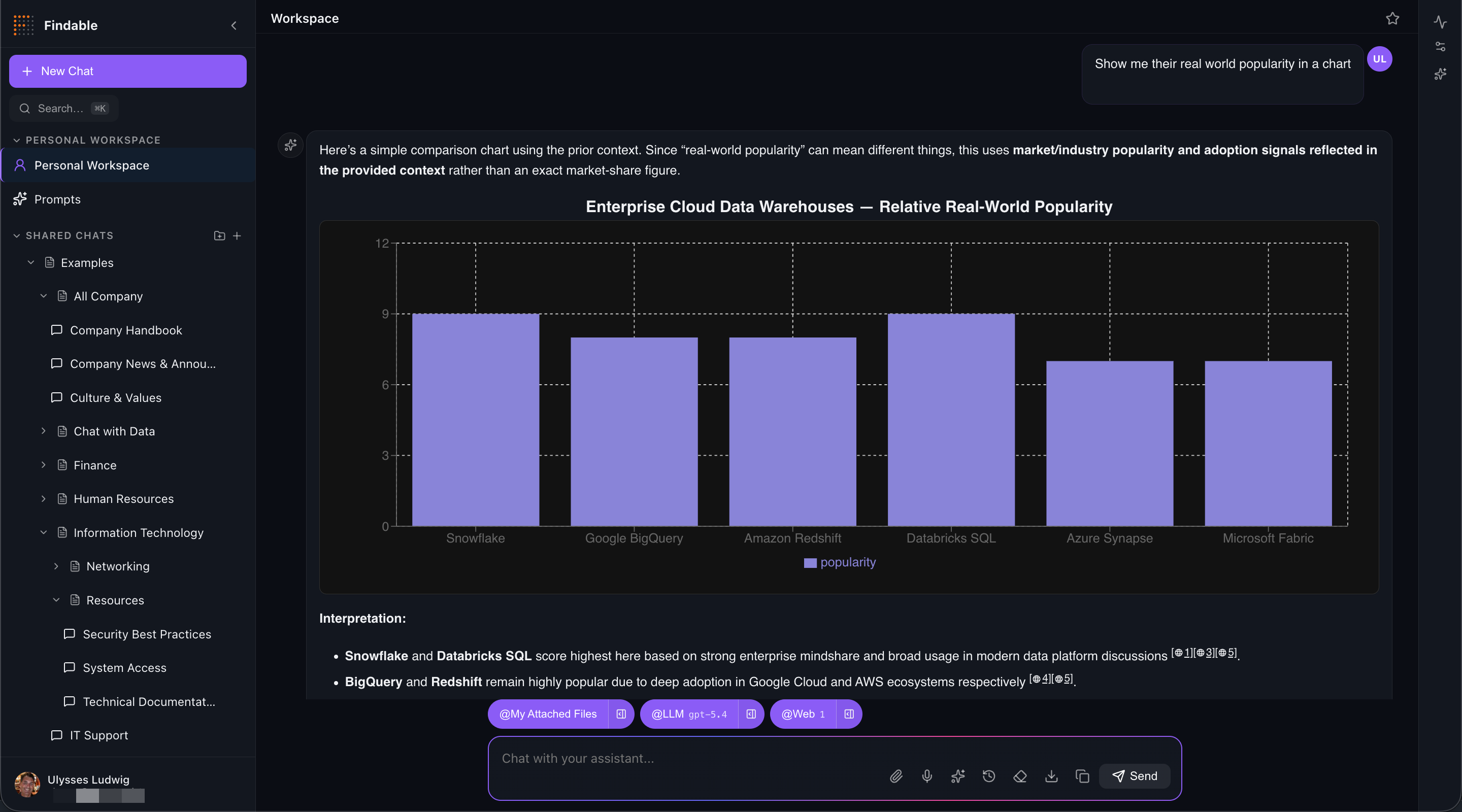
Findable bundles the LLMs, connectors, tools, governance, and deployment plumbing of an enterprise AI platform into one product — then runs the whole thing inside your Azure tenant. Answers render as interactive charts, diagrams, tables, and typeset math, not walls of text.
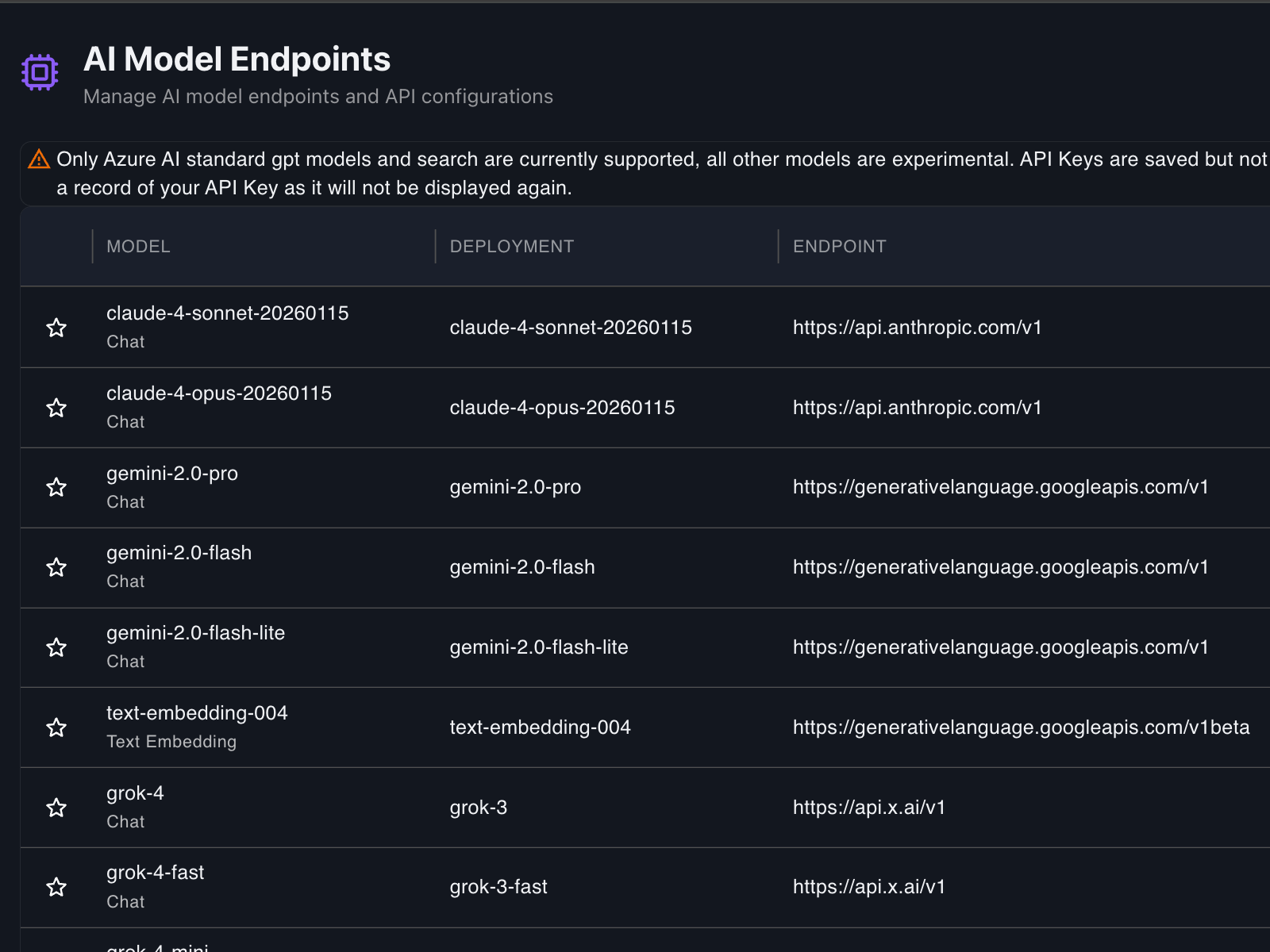
Azure OpenAI, OpenAI, Anthropic, Google Gemini, xAI, Mistral, Groq, Amazon Bedrock, and Ollama for local models. Switch providers per chat, or run multiple in parallel. No lock-in, no migration tax.
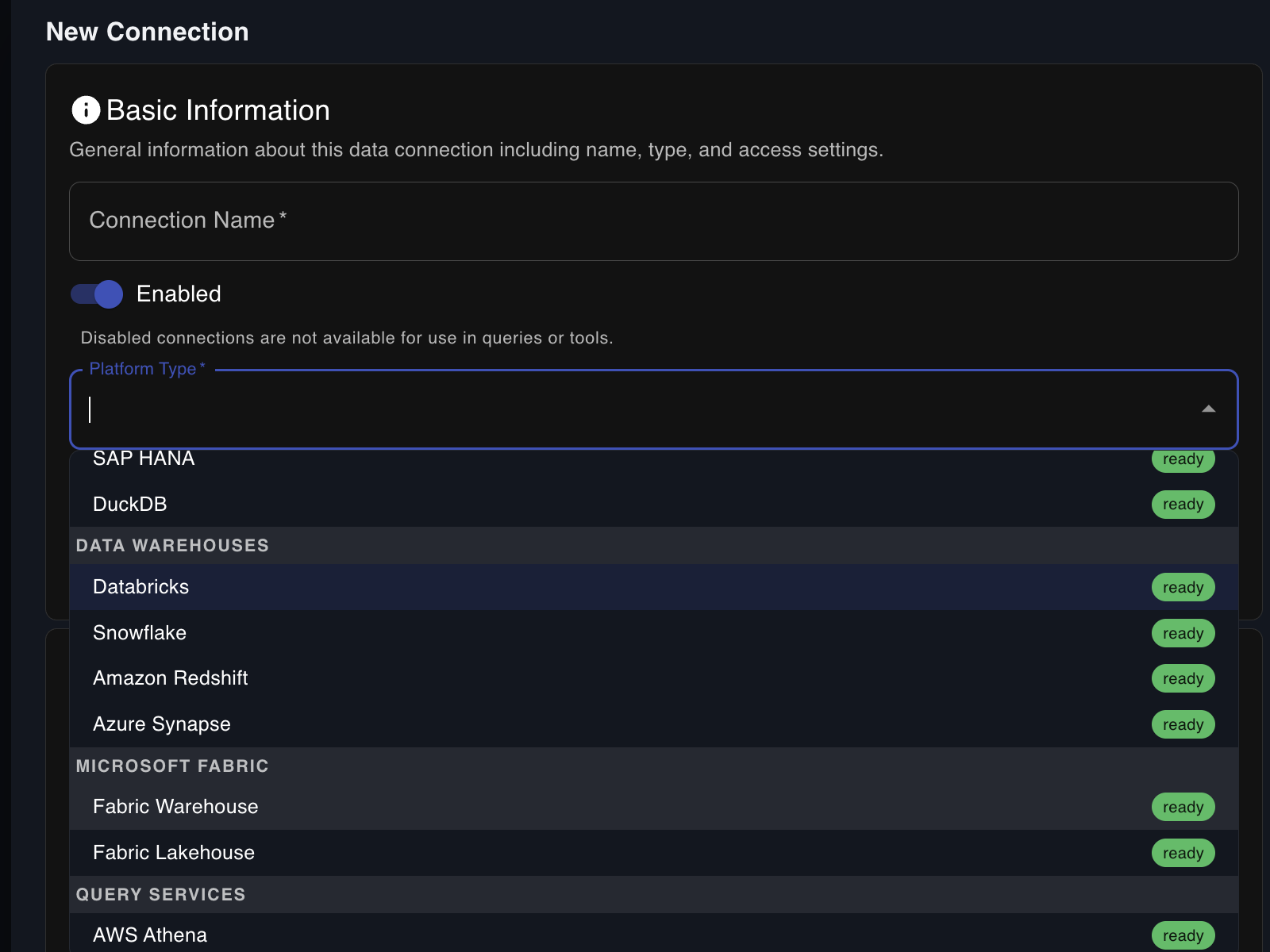
SQL Server, Postgres, Snowflake, Databricks, Fabric, Cosmos DB and 21 more — plus 16 vector stores like Pinecone, Weaviate, and pgvector. Governed, read-only (SELECT-only) access, every query logged.
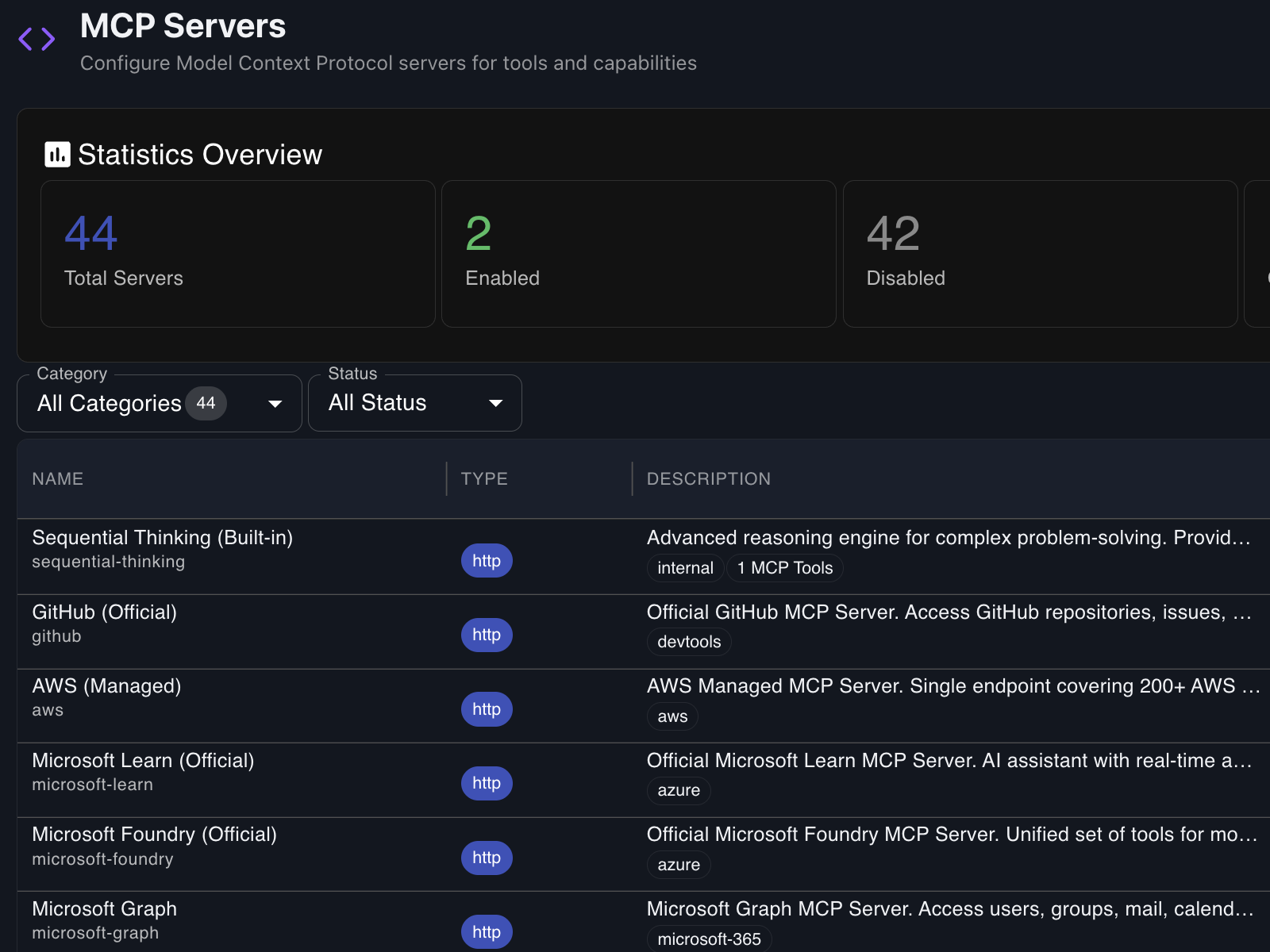
Slack, GitHub, Jira, Confluence, Drive, Notion, Linear, and 50+ more out of the box. Bring your own MCP server to extend Findable to anything that speaks the Model Context Protocol.
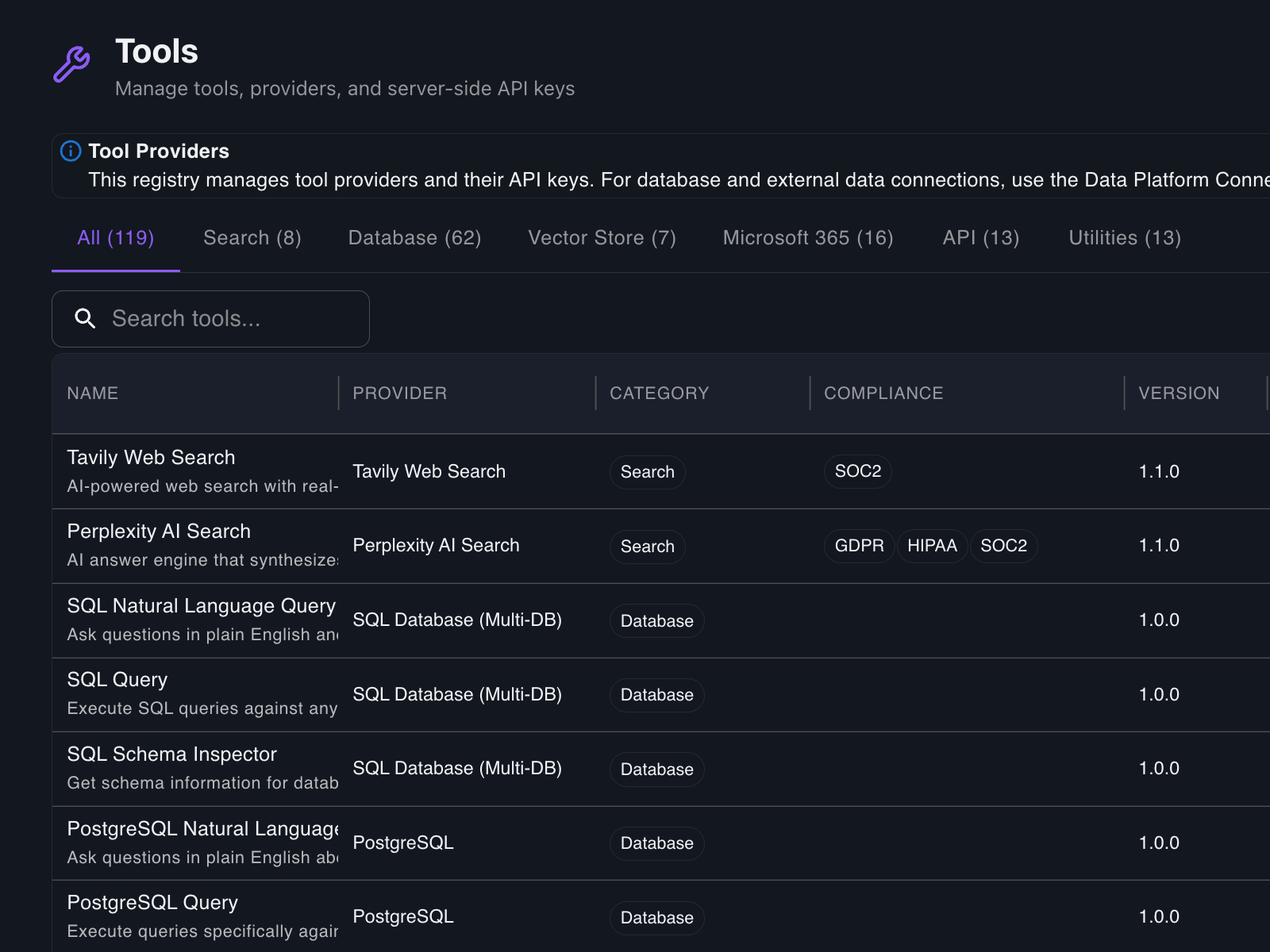
File handling, web scraping, code execution, database queries, vector search, OCR, and a tool SDK for anything custom. Your models don’t just talk — they do.
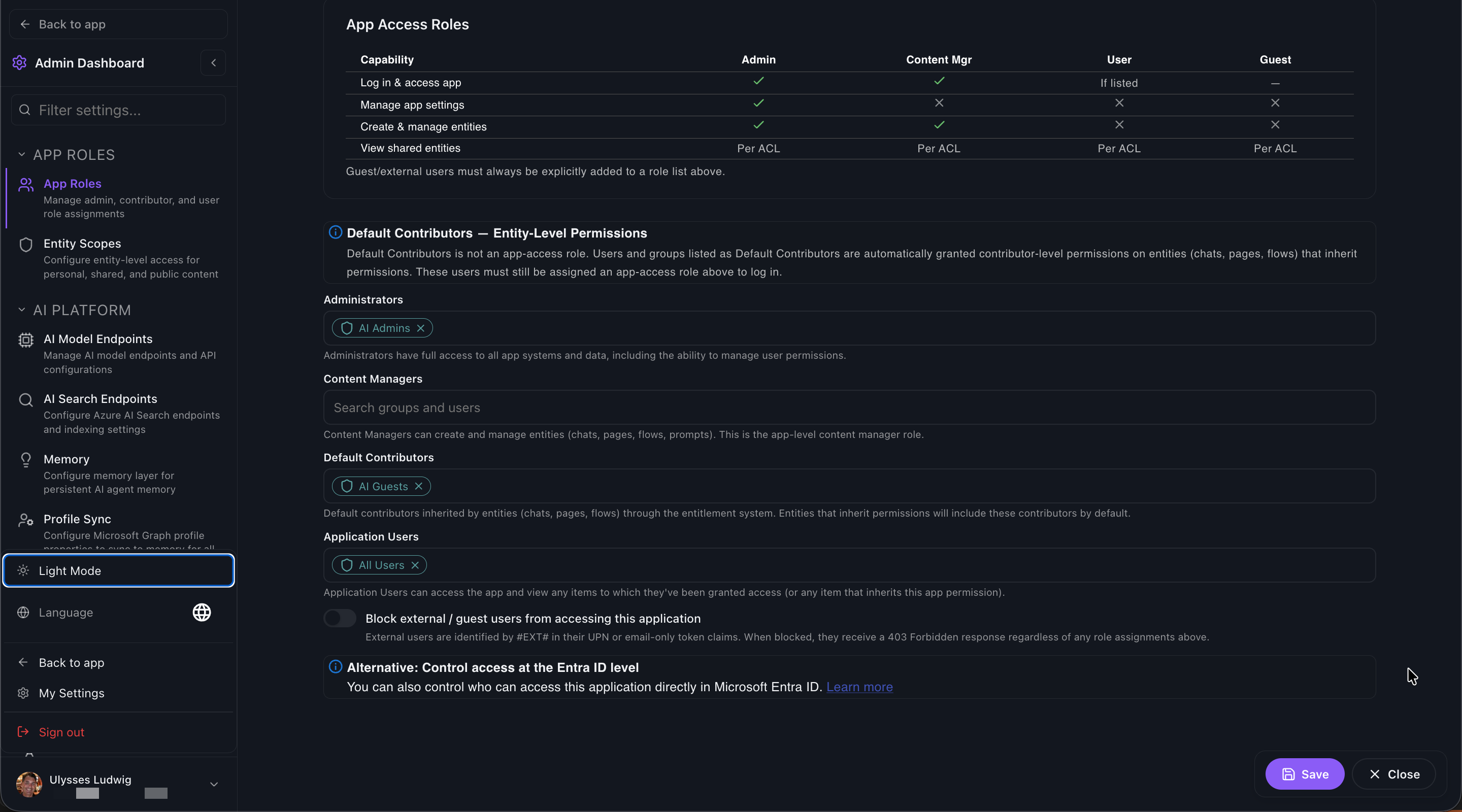
Authenticate with Entra ID. Enforce ACLs at app, page, and entity level with inheritance. Audit every conversation. Cosmos DB partition-key isolation per user. Built like enterprise software, because it is.
Findable deploys via standard Azure tooling. Managed Identities mean no secrets are ever stored. Your data never leaves the tenant, and you keep every lever your security team needs.
*Counts reflect what ships today — we're constantly adding providers, databases, vector stores, tools, and MCP servers.
WHAT SETS FINDABLE APART
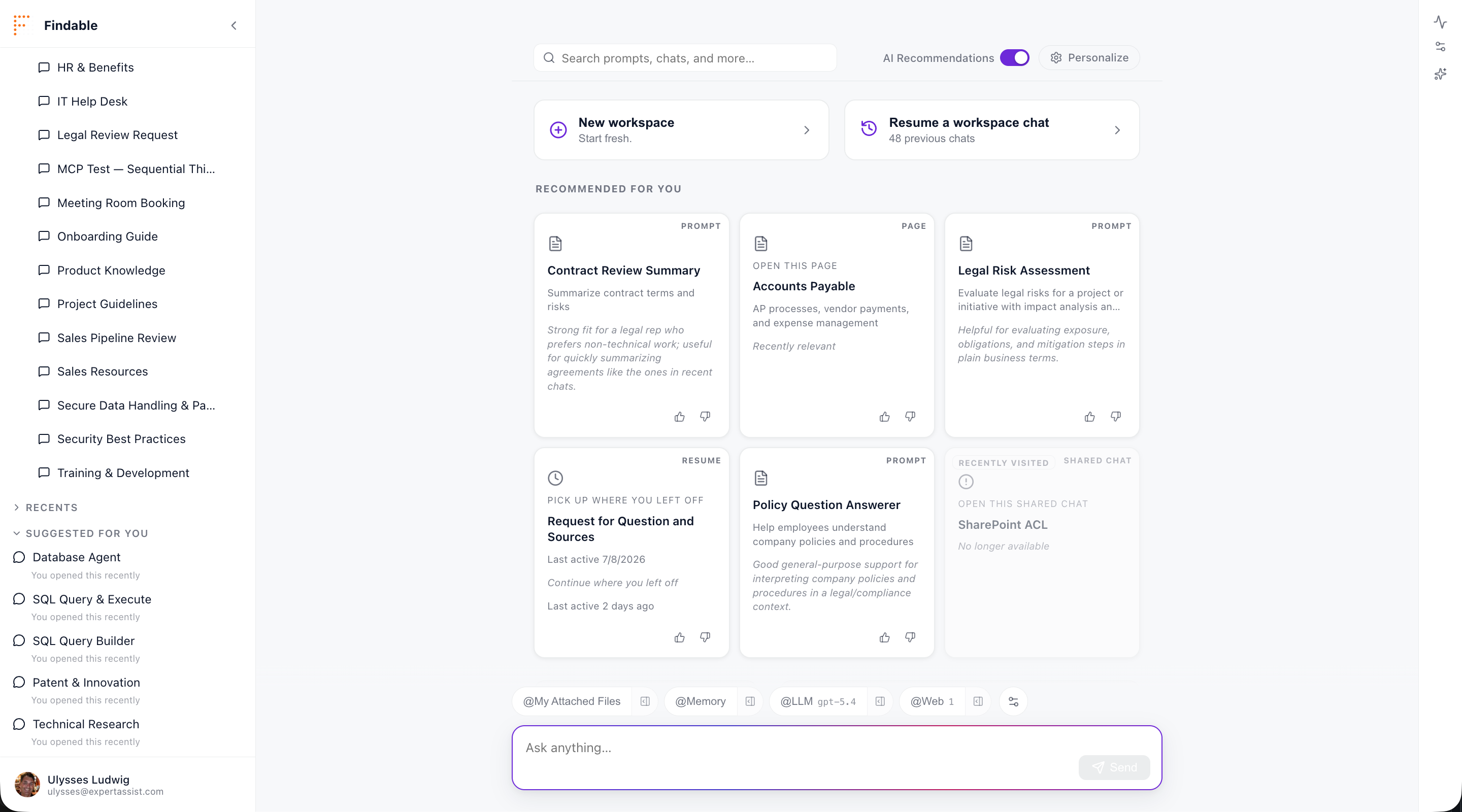
When someone curates a channel, a chat, or a prompt for their department, Findable’s AI recommends it to colleagues in that department — or to anyone whose preferences match. The signal comes from your business; the matching is AI.
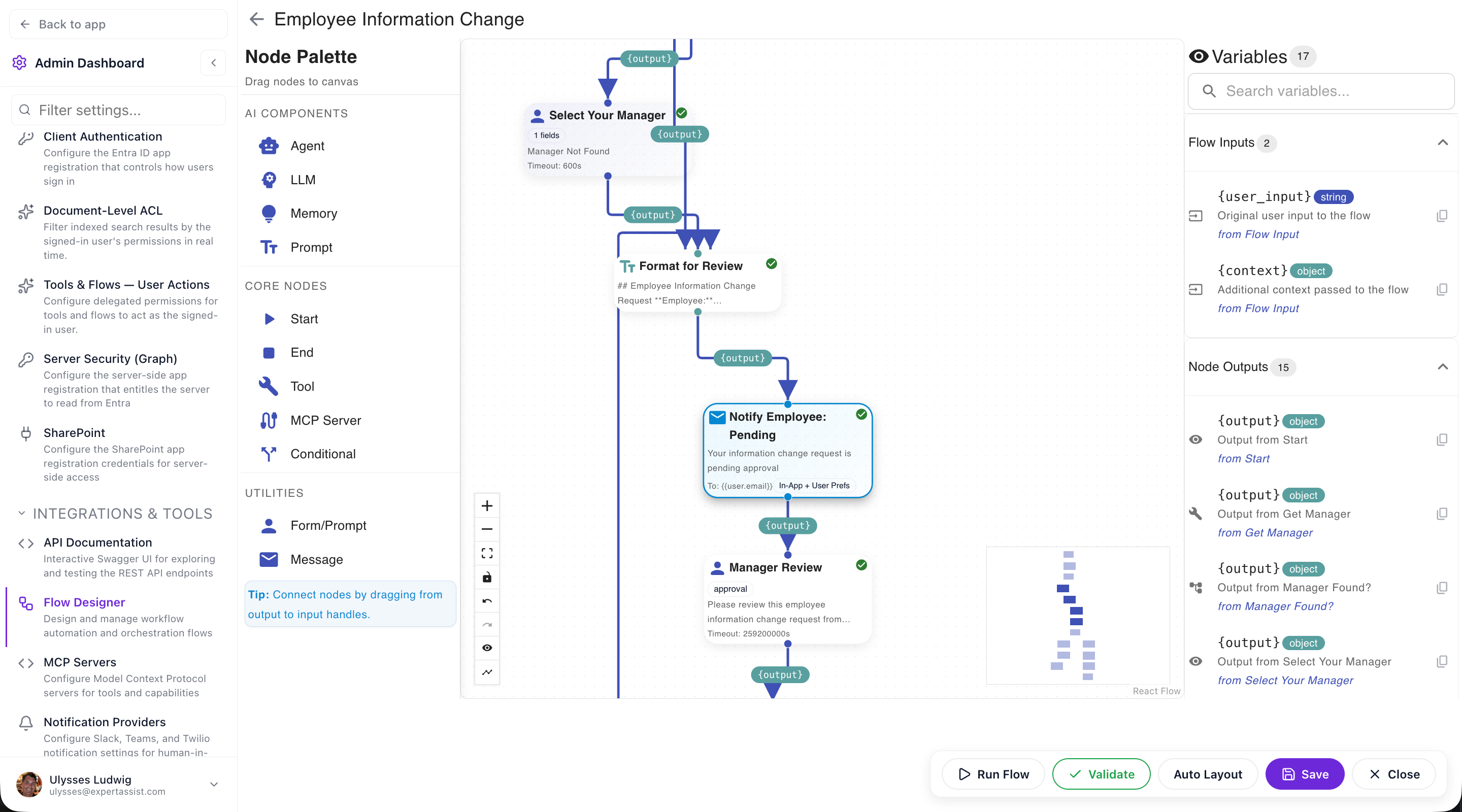
Visual workflow builder for chaining models, tools, branches, and human approvals. Trigger flows from forms, schedules, webhooks, or other flows. No code, no YAML, no glue scripts — a flow your team can read and your auditor can sign off on.
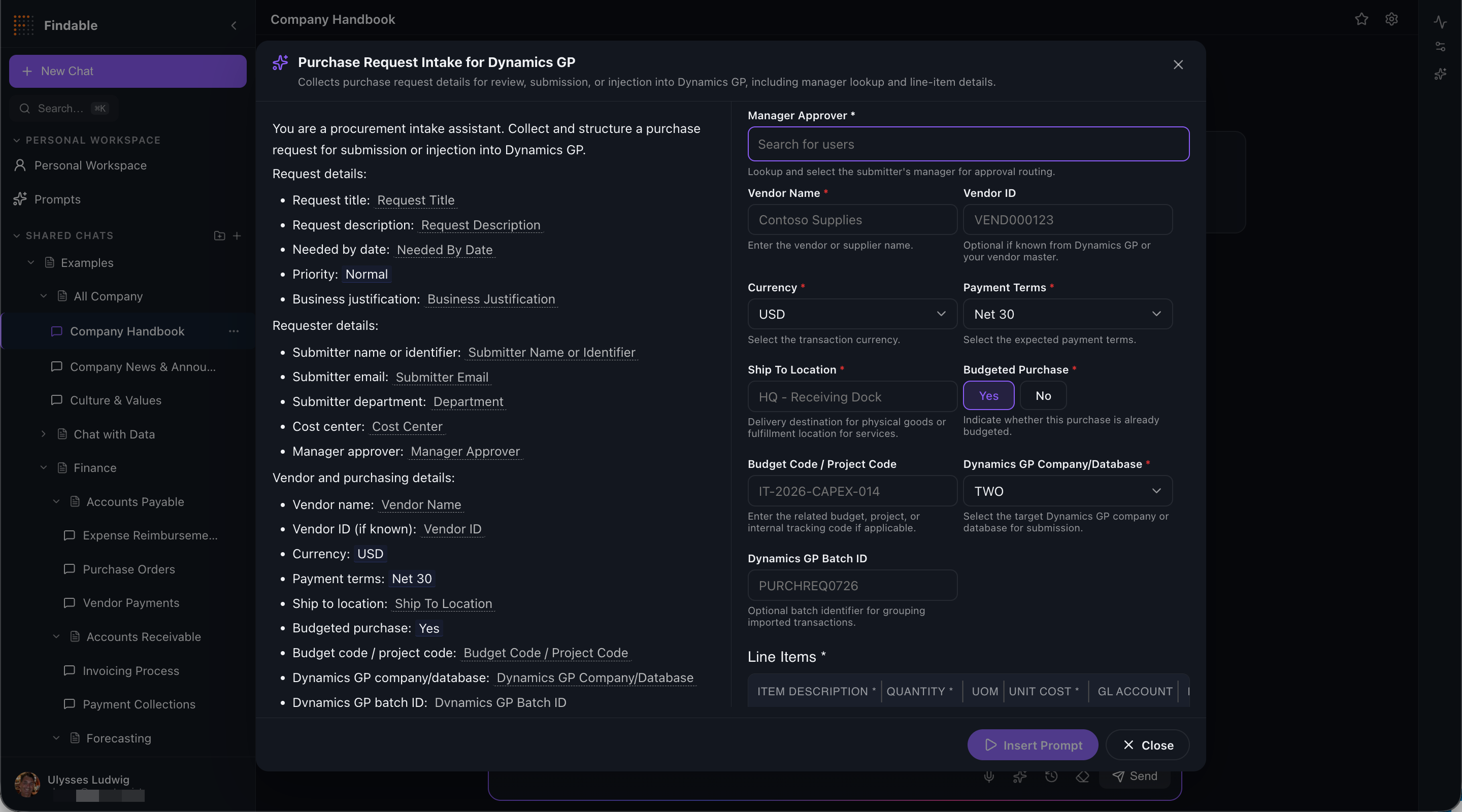
Turn loose chat into a form. Text fields, tables, file uploads, conditional logic, AI-suggested defaults, dynamic runtime generation. Inputs your team can fill without learning prompt engineering, outputs your systems can trust.
Hand off conversations between teammates, queue prompts for review, assign tasks to a person or role. Track ownership, escalations, and resolution time. Every assignment is audited — because AI work is still work.
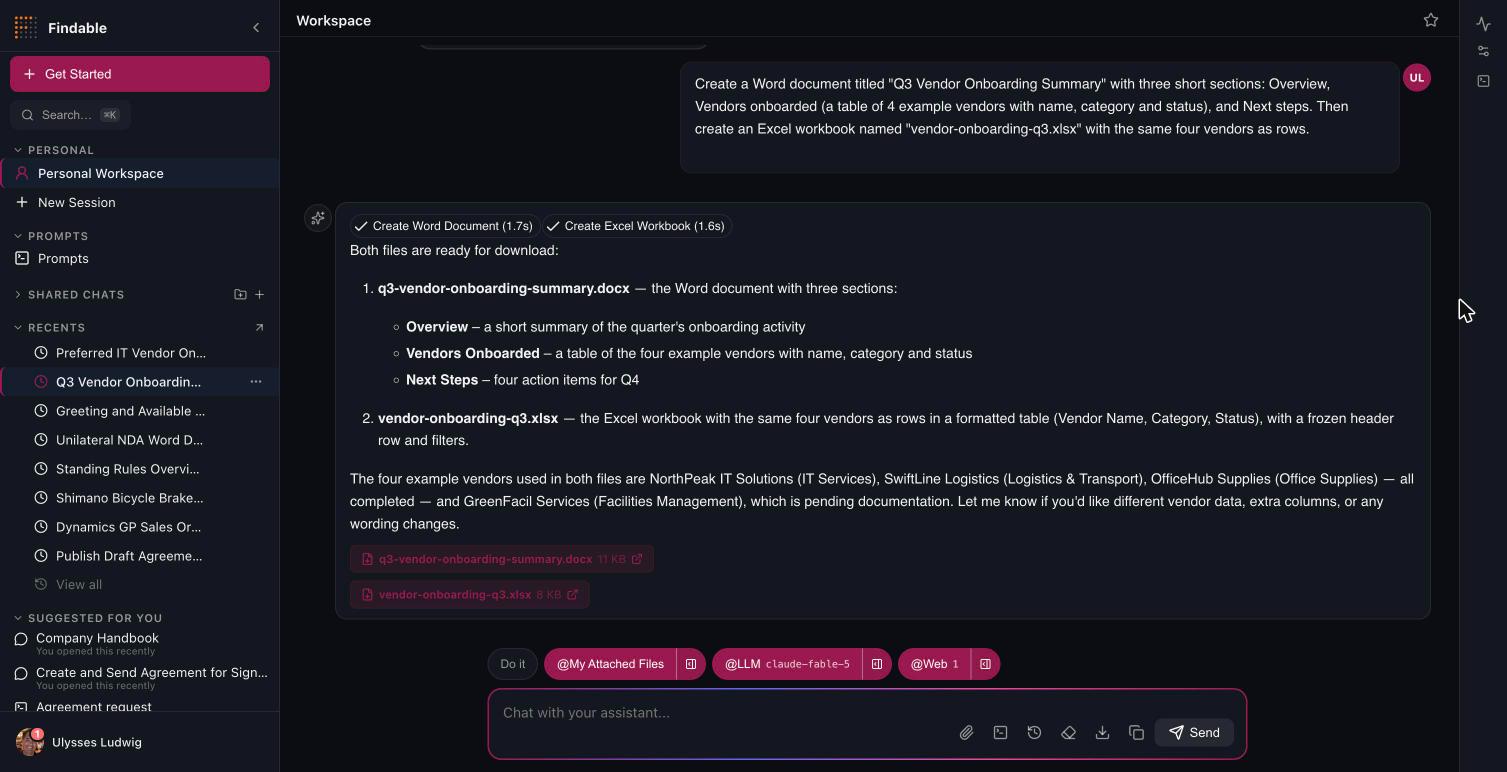
Ask for a summary and get a formatted Word document. Ask for the numbers and get an Excel workbook with real tables, frozen headers and filters — both in a single turn, from chat or from any agent step. Findable's agents write real artifacts — Word, Excel, CSV, JSON, Markdown, SVG and generated images — and save them to the user's own OneDrive, where they appear as downloadable chips in the chat. Fill a corporate .docx template with live data, export a diagram or chart as SVG or PNG, or let any MCP tool that returns a file become a file generator with no custom code. Then put the file where work happens: upload it to a SharePoint library, send it for signature through DocuSign, or attach it to an email — each one a gated write with an approval card, never a silent side effect. Generated files live in their own folder, are never indexed back into search, and follow your existing M365 retention.
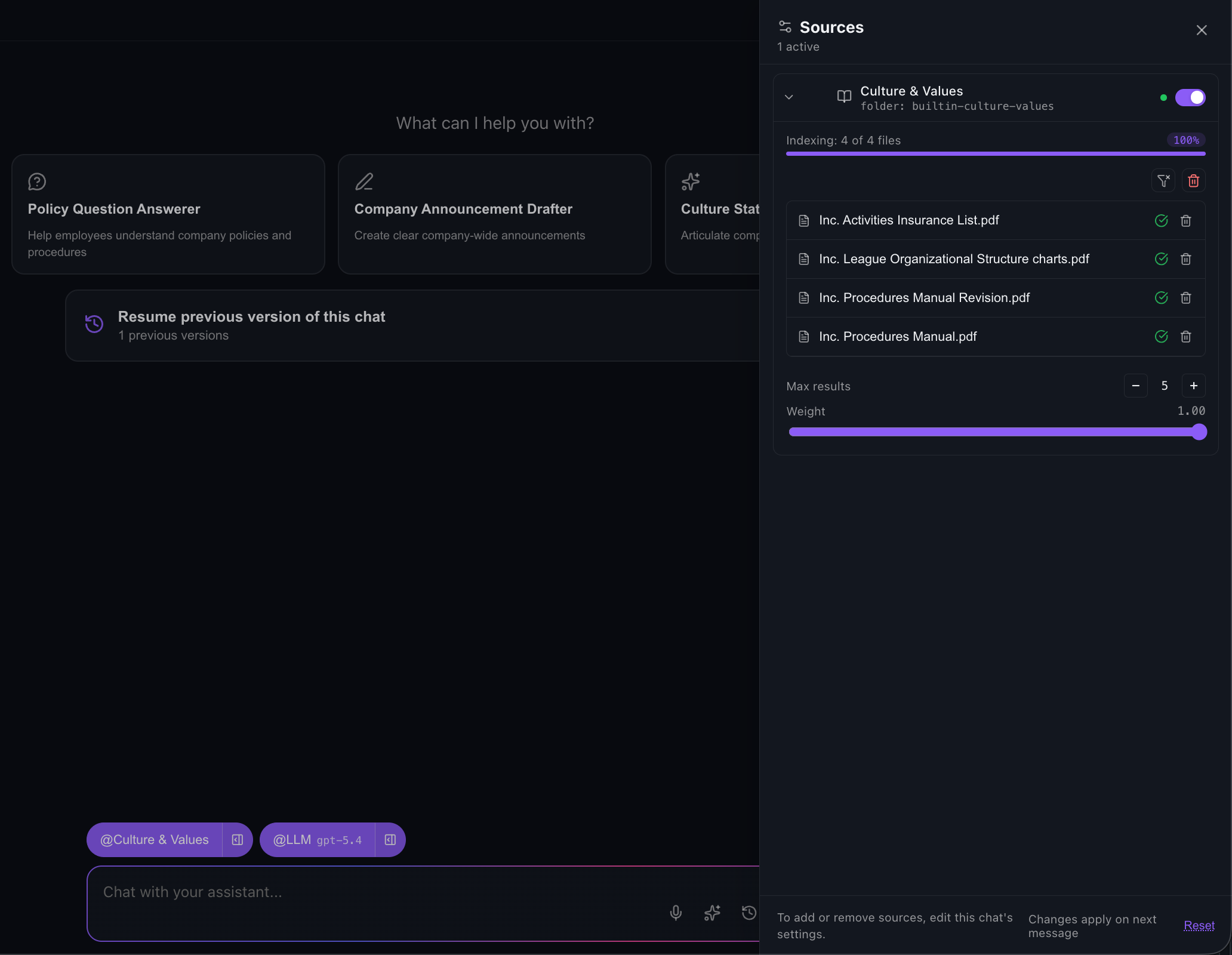
Findable enforces document-level permissions at query time, not after the fact. Every SharePoint and OneDrive document carries its real user and group ACLs into the search index, and each query is trimmed against the asking user's own identity token — so a retrieved passage is one they could already open themselves. Permission changes sync incrementally on every indexer run rather than waiting for a full reindex, and if the identity token can't be acquired, protected sources are skipped with a visible notice instead of quietly answering from documents nobody checked.
Findable ships application logs directly into your own Azure Log Analytics workspace over the Monitor Logs Ingestion API, authenticated with managed identity — no API keys, no vendor-side log store, nothing to egress. Query them in KQL alongside the rest of your Azure estate, chart error rates and latency, wire up alerts, and apply your own retention. Log shipping is non-blocking and failure-isolated by design: a misconfigured workspace can slow your dashboards, never your users.
GOVERNED AGENTS
Every tool Findable can call is classified by effect: read, read with egress, reversible write, irreversible write, or admin. Reversible writes confirm with the person who asked. Irreversible and admin writes stop for a named approver. The approval card shows the exact arguments the tool will send — frozen, byte for byte — and that is what gets sent, once. No approver configured? The run is blocked and says so, instead of guessing.

Approvals, forms, acknowledgements and file requests reach people in the app, the notification centre, Microsoft Teams, Slack, or an email link — with any, all, majority and sequential strategies, delegation, reminders and timeouts. A run waiting on a person is durable: it survives restarts and deploys and resumes exactly where it stopped when the answer arrives. Irreversible decisions stay on channels that prove who answered.
A draft test run performs reads for real and records every write and message instead of sending it, so you see exactly what a flow would do to Jira, SharePoint or a mailbox before it is published. Solution packs ship with rehearsal data, so an install can be proven on day one.
Every run keeps its intents, approvals and steps. Export the timeline as JSON or CSV with a SHA-256 digest over the canonical record, so anyone can verify it has not been altered since it left the system. Deleting a run keeps its intents and approvals. Retention is yours to set, down to forever.
A live agent changes only through draft and publish. Every publish writes a version you can compare and restore, go-live can be scheduled, unpublish and archive refuse while runs are still open, and delete is a recycle bin with a 90-day purge. An editing lock keeps two designers from overwriting each other.
SOLUTION PACKS & AUTOMATION
A pack is a reviewed set of agents for one system, installed in a few clicks with the tools it needs, its approval policies, and rehearsal data to prove it before anyone relies on it. Every pack runs as the signed-in person, so a tool can never do what the person could not. Fork a pack to tailor it, or stay linked and take upgrades.
Atlassian
Jira Service Desk
Duplicate search, draft, create, update, comment and transition issues.
ServiceNow
IT Service Desk
Incident intake with duplicate search, knowledge suggestions and approvals.
Salesforce
Sales Desk
Account and opportunity briefings that join the CRM with your calendar and mail.
Microsoft 365
Workspace Agent
Meeting prep, email triage and drafts over your own mailbox, calendar and files.
Microsoft Entra ID
Access Lifecycle
Access package requests, recertification and offboarding through ID Governance.
SharePoint
Document Control
Answers pinned to the current version of every controlled document it cites.
DocuSign
Signature Desk
Send a generated document for signature, chase it, and file the signed copy.
BambooHR
People Desk
A person's own HR record and time off, with HR-only writes behind approval.
Greenhouse
Hiring Desk
Interview prep briefs, scorecards and candidate moves as the recruiter.
Veeva Vault
Quality Docs
SOP answers from the version in effect, cited by number and version.
Benchling
R&D Agent
Registry lookups, sample inventory and workflow task requests.
Linear
Linear Issue Desk
Issue intake and triage for engineering teams that are not on Jira.
Notion
Notion Knowledge
Answers from the pages it searches, each cited by title and link.
PagerDuty · Sentry · Datadog
Engineering Ops
Incident, error, monitor and on-call in one summary; status drafts for approval.
An owner can enable an agent to run unattended: on a cron schedule in any time zone, from a signed webhook (HMAC-SHA256, replay-protected), or when something lands in a mailbox folder, a SharePoint library or a list. An unattended run has its own identity and quota, uses only the Microsoft Graph permissions an administrator granted it, and is attributed to the owner who enabled it. Findable refuses to automate a flow that would need to ask the person who started it.
Expose a retriever, a job or an agent as an MCP tool and call it from any MCP client that can sign in with Entra ID. Entra is the authorization server — Findable issues no tokens of its own — so the caller is a real person in your tenant, only client applications an administrator allow-listed can connect, the tool runs as that person, and every call shows up in the run history with the client application that made it.
A demo takes 30 minutes. A pilot inside your Azure tenant takes under a week.