The Last Mile of Enterprise AI Is a File Someone Can Send
November 5, 2026
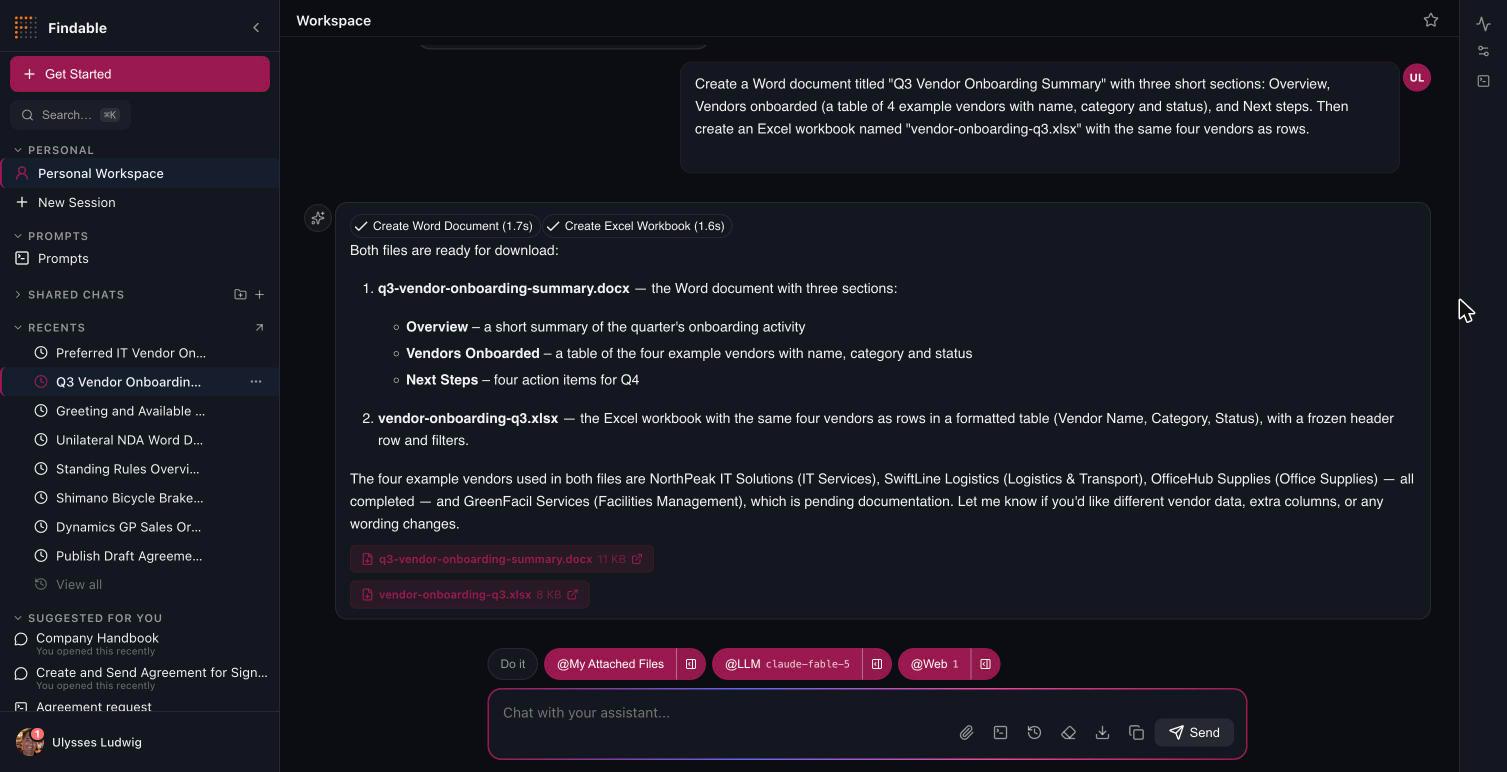
An analyst asks the AI for a quarterly supplier review. Thirty seconds later there's an excellent answer on screen: the numbers, the trend, the three suppliers worth a conversation.
Now she has to send it to the CFO.
So she copies it into Word, fixes the headings, rebuilds the table that pasted as runs of text, applies the corporate template, adds the footer, and exports a PDF. The AI saved her the analysis and gave her back a formatting job. For a lot of enterprise AI work, that last mile is where the time goes — and it's the part demos never show.
We'll start with the embarrassing part.
What was actually wrong
Until last week, a Word document Findable generated was markdown rendered line by line. Headings worked down to h4. Bold and italic worked. Lists were flat.
Everything else came out as literal text. Tables, links, block quotes, code, horizontal rules, nested lists, h5 and h6 — all of it landed in the document as the raw characters you'd typed. The document had no style set, no default font, no header, no footer and no page numbers, and the title appeared twice, because the generator added one and the model had written one.
The Excel generator managed a bold header row, some column widths, and a scalar find-and-replace into an uploaded template. PowerPoint didn't exist at all.
The most useful way to describe the state of it: the copy button in our own chat window produced a better Word file than our server did. When your client-side export beats your document pipeline, the pipeline isn't a feature you're improving. It's a thing you have to go and build.
Microsoft Graph is the fidelity layer
The obvious fix is to write a better renderer. We did something narrower, because of where Findable runs.
Findable deploys inside the customer's Microsoft 365 tenant, which means Microsoft Graph is already there, already authorized, already governed. So the libraries on the server produce the bytes, and Graph does the things that need Office itself:
- Word content — the library, because Microsoft publishes no Word content API, themed by a tenant template Graph fetches.
- PowerPoint content — the library again, writing slides onto a template Graph fetches.
- Excel structure — the library: tables, number formats, formulas, totals, widths.
- Excel charts — Graph's workbook API, drawing native charts into the real workbook after upload.
- PDF — Graph, converting the stored file.
- Preview — Graph: an Office Online frame and thumbnails.
- Branding — the .dotx and .potx templates sitting in the tenant's own SharePoint library.
The rule that falls out of this is the one that matters: nothing is rendered twice. There is no "our PDF engine," and no second markdown converter maintained in parallel with the first — one converter now, shared by the server and the chat export. Charts are drawn by Excel. PDFs are made by the thing that makes PDFs.
That's less code than a bespoke renderer, and more importantly it's less code that can disagree with itself.
Your template is the brand, not our stylesheet
A document theme gets you a font and an accent colour. It does not get you your deck.
So the tenant's own templates are the source of the corporate look, read from a SharePoint library the administrator points at: .dotx or .docx for documents, .potx or .pptx for presentations.

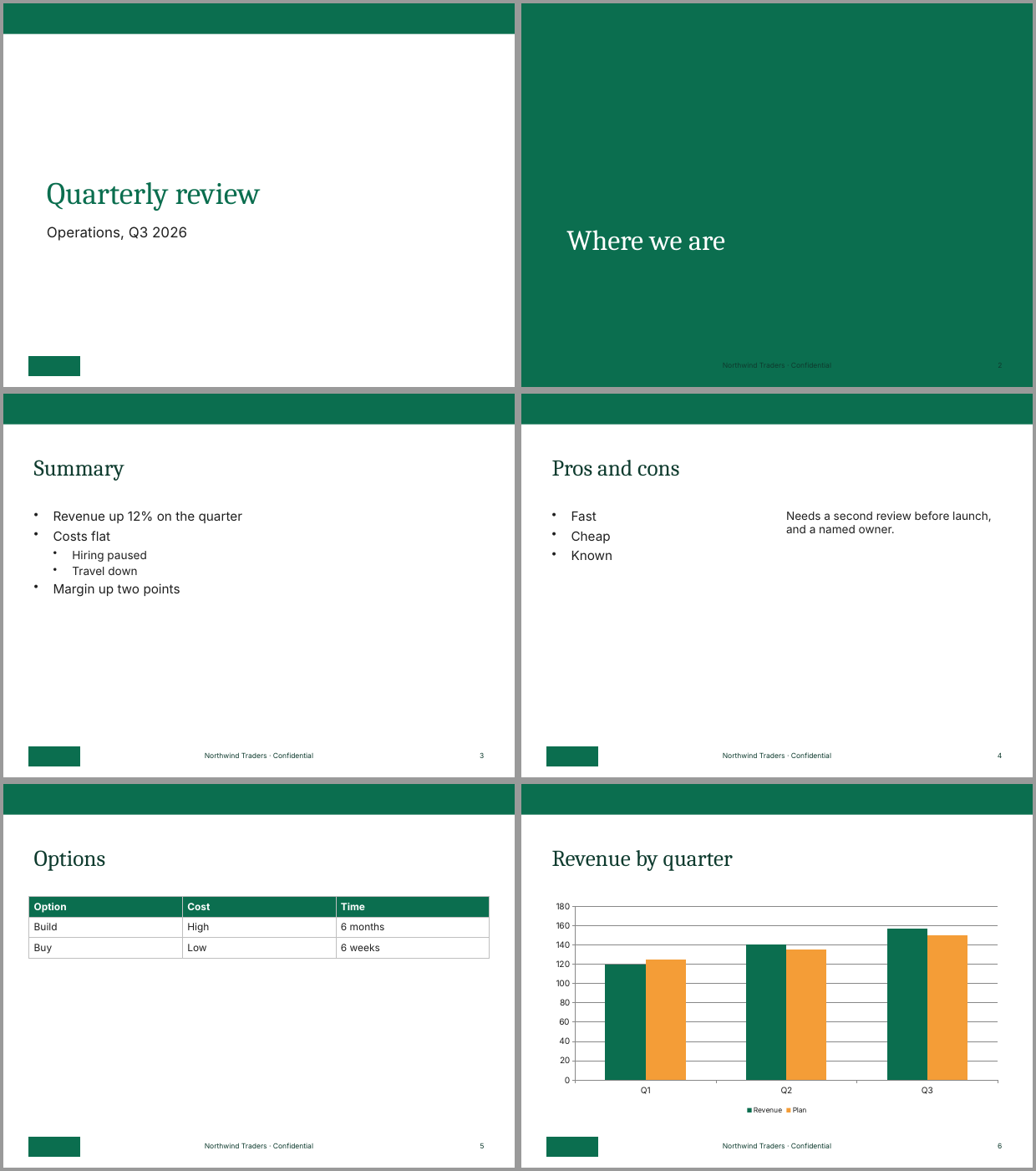
A generated deck is sized to the template's slide, and each slide's title and body are drawn into the boxes the chosen layout places them in — mapped onto the layouts a real template already carries: Title Slide, Section Header, Title and Content, Two Content. Fonts and colours come from the template's own theme. Footers and live slide numbers are placeholders the layout positions, carrying the template's own footer text where it has one.
Templates are also untrusted input, and treated that way. A macro-enabled template is refused outright. External relationships that aren't plain hyperlinks — OLE objects, embedded packages, ActiveX controls — are removed along with the shapes that carried them. A template is a look, not an execution path.
Degrading is the feature
Everything above depends on administrator decisions, and not one of them is a default we made on your behalf. Generated files go to blob storage unless an administrator points the workspace at the person's OneDrive. Every delegated Graph permission — the file ones, the SharePoint ones — ships disabled, and consent has to be granted on the app registration before any of them does anything. Nothing in that list turns itself on.
Which raises the question of what happens on a tenant where it's all still off — or where consent is missing, or a conversion times out, or a run has no signed-in person at all.
The answer is the same in every case: the step is skipped with a notice in the tool's answer, and the document is kept as the library built it. The library output is the floor for every tenant. A Graph step that can't run never fails the document — you get a slightly plainer file and a line telling you which switch would have improved it. The analyst still gets something she can send; an administrator learns there's one setting between that and a branded one.
Runs with nobody present are the interesting edge. They have no delegated token, so by default their files land in blob storage and the Graph steps that need a person are skipped. An administrator who wants better than that grants one specific capability against one specific SharePoint site, names a folder, and clicks a button that creates it as a test — which proves the write role before an unattended workflow depends on it. Files written there are reachable by the agent's owners, contributors and administrators, and never by someone who merely has a shared chat open.
Why this is governance and not polish
It's tempting to file document generation under cosmetics. It isn't, for two reasons.
A file is where AI output stops being a conversation and becomes a record. Once it's a .docx in SharePoint it's subject to retention, eDiscovery, DLP and every other control your organization already runs — which is an argument for the file landing inside that governance from the moment it's created, rather than being generated somewhere else and uploaded later.
And a deliverable that looks like your organization's work is a deliverable people actually send. Adoption of enterprise AI dies in small frictions, and "I have to reformat everything it gives me" is one of the most expensive small frictions there is.
Findable generates documents, workbooks and presentations inside your Microsoft 365 tenant, on your templates, under your governance. Request a demo or read the docs.